Adobe Photoshop – 1.5 Months
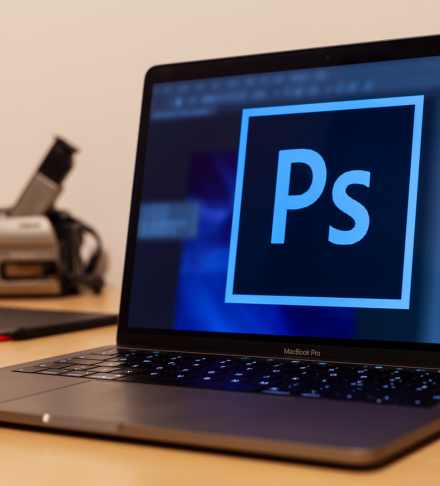
The Adobe Photoshop (1.5 Months) course is a specialized training program designed to turn beginners into professional photo editors.
In Dhangadhi, every photo studio, wedding photography company, and advertising agency needs experts who can retouch photos, mix wedding albums, and design digital banners. This course focuses 100% on these practical skills.
You will move beyond simple mobile editing apps and learn the industry-standard software used by professionals worldwide to create magic with images.
- LIFE: 1.5 Months
Description
Adobe Photoshop (Photo Editing Specialist)
Master the Art of Digital Photo Editing & Design
Duration: 1.5 Months Course Fee: Contact For Fee Location: Easy Computer Education, Dhangadhi–7, Kailali
Course Overview
The Adobe Photoshop (1.5 Months) course is a specialized training program designed to turn beginners into professional photo editors.
In Dhangadhi, every photo studio, wedding photography company, and advertising agency needs experts who can retouch photos, mix wedding albums, and design digital banners. This course focuses 100% on these practical skills.
You will move beyond simple mobile editing apps and learn the industry-standard software used by professionals worldwide to create magic with images.
What You Will Learn (Course Syllabus)
We teach you the “Secrets of the Studio” – techniques used by professional photographers to make photos look perfect.
1. Fundamentals of Digital Images
-
Understanding Pixels, Resolution (DPI), and Color Modes (RGB vs CMYK).
-
Interface Mastery: Layers, History, and Workspace management.
2. Photo Correction & Retouching (The Studio Module)
-
Digital Makeup: Removing pimples, dark spots, and wrinkles using Healing Brush & Clone Stamp.
-
Skin Smoothing: Professional techniques to make skin look soft and glowing.
-
Color Correction: Adjusting brightness, contrast, and curves to fix dark or dull photos.
-
Passport Photo Creation: Creating 8-12 PP size photos on a single 4×6 paper (essential for studio jobs).
3. Cutting & Manipulation (The Creative Module)
-
Background Removal: Using Pen Tool, Lasso, and Magic Wand to perfectly cut out objects (even hair!).
-
Background Changing: Placing a person into new scenery or studio backgrounds.
-
Photo Manipulation: Combining multiple photos to create a fantasy scene.
4. Digital Design & Text
-
Typography: Creating stylish 3D text and metallic text effects.
-
Banner Design: Designing YouTube thumbnails, Facebook ads, and digital posters.
-
Filters & Effects: Using Blur, Sharpen, and Liquify (body shaping) tools.
5. Real-World Project Work
-
Old Photo Restoration: Repairing damaged, torn, or black-and-white photos of grandparents.
-
Wedding Album Design: Creating a collage layout for wedding memories.
-
Movie Poster Design: Designing a creative poster using your own photos.
Career Opportunities After This Course
This is one of the most employable short-term skills. You can work as:
-
Studio Photo Editor: Work in local photo studios editing passport and wedding photos.
-
Social Media Designer: Create posts for businesses to share on Facebook/Instagram.
-
Freelance Editor: Earn money online by removing backgrounds or retouching photos for clients.
-
YouTuber / Content Creator: Design your own attractive thumbnails and channel art.
Why Choose Easy Computer Education for Photoshop?
-
Focus on Pen Tool: We force you to master the “Pen Tool”—the most important tool for professional cutting.
-
Studio-Level Training: We teach you the exact size measurements for printing (4R, 12R, Flex sizes).
-
Creative Portfolio: By the end of 1.5 months, you will have a folder full of your own edited photos to show employers.
Bring Your Imagination to Life!
Learn the magic of editing.Enroll in the Adobe Photoshop Course today.



Reviews
There are no reviews yet.